Disabled Safari Features
🚨 UPDATE 🚨: In iOS 26, private browsing is now always enabled.
Due to Apple limitations, some Safari features could be disabled if the blocking session is active and:
“Additional websites” feature is used (including the “Adult” feature)
Or, “Safari Only Mode” is OFF and a website is selected from the “Application Picker”
If the conditions above are true, here are some features that may be affected:
Safari Extensions can be disabled
Password managers like 1Password may not offer autofill in in-app browsers
Google SafeSearch gets enabled in Safari (no longer true for iOS 26+)
Private Browsing is disabled for Safari (no longer true for iOS 26+)
Clearing browsing history is disabled for Safari (no longer true for iOS 26+)
In other words, to fix this problem:
Use Safari as your web browser.
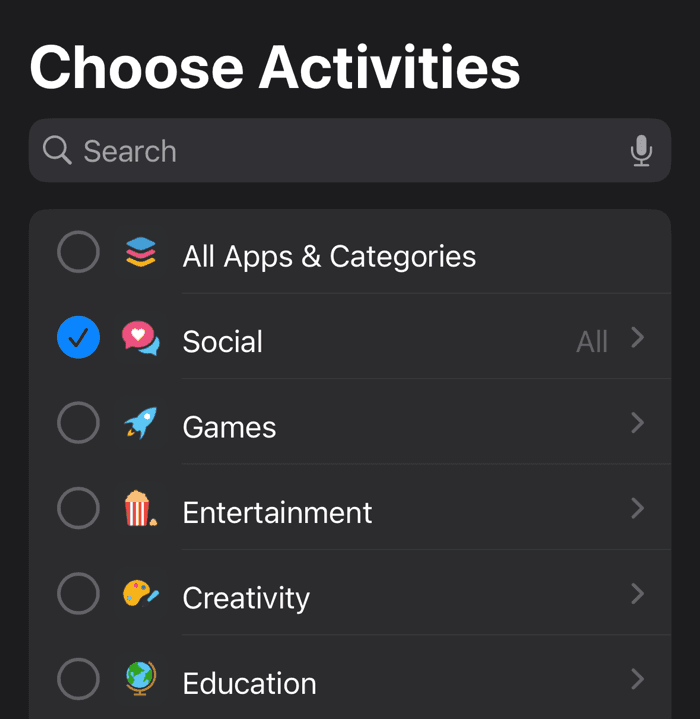
Make sure to NOT use the “Additional Websites” feature (including the “Adult” feature). Instead, block websites by using the “Application Picker.”
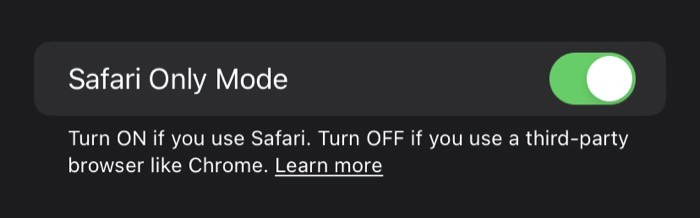
Ensure “Safari Only Mode” is ON.
Safari Only Mode
“Safari Only Mode” allows you to avoid the problems above if you block websites from the “Application Picker.” However, it disables blocking the websites selected from the “Application Picker” in third-party browsers like Chrome.
Safari Only Mode can be found by:
Visit Refocus Settings screen by pressing the “gear” icon on the top-right corner of the home screen.
Press “Advanced Settings.”
Notice the “Safari Only Mode” toggle.
Chrome Always Works
If you choose to use a third-party browser like Chrome, private browsing will always work. Chrome, however, can not be used for individual website App Limit tracking.
Google SafeSearch in Safari
Note that the Google SafeSearch is also affected by all of the above. To avoid Google SafeSearch automatically turning on if you are a Safari user, make sure that:
Don’t use the “Additional Websites” filter.
Turn “Safari Only Mode” ON.
Go to Apple Settings app > Screen Time > Content & Privacy Restrictions, and turn them OFF.
What Is The Application Picker?
It’s the screen pictured below.