How To Select Apps & Websites
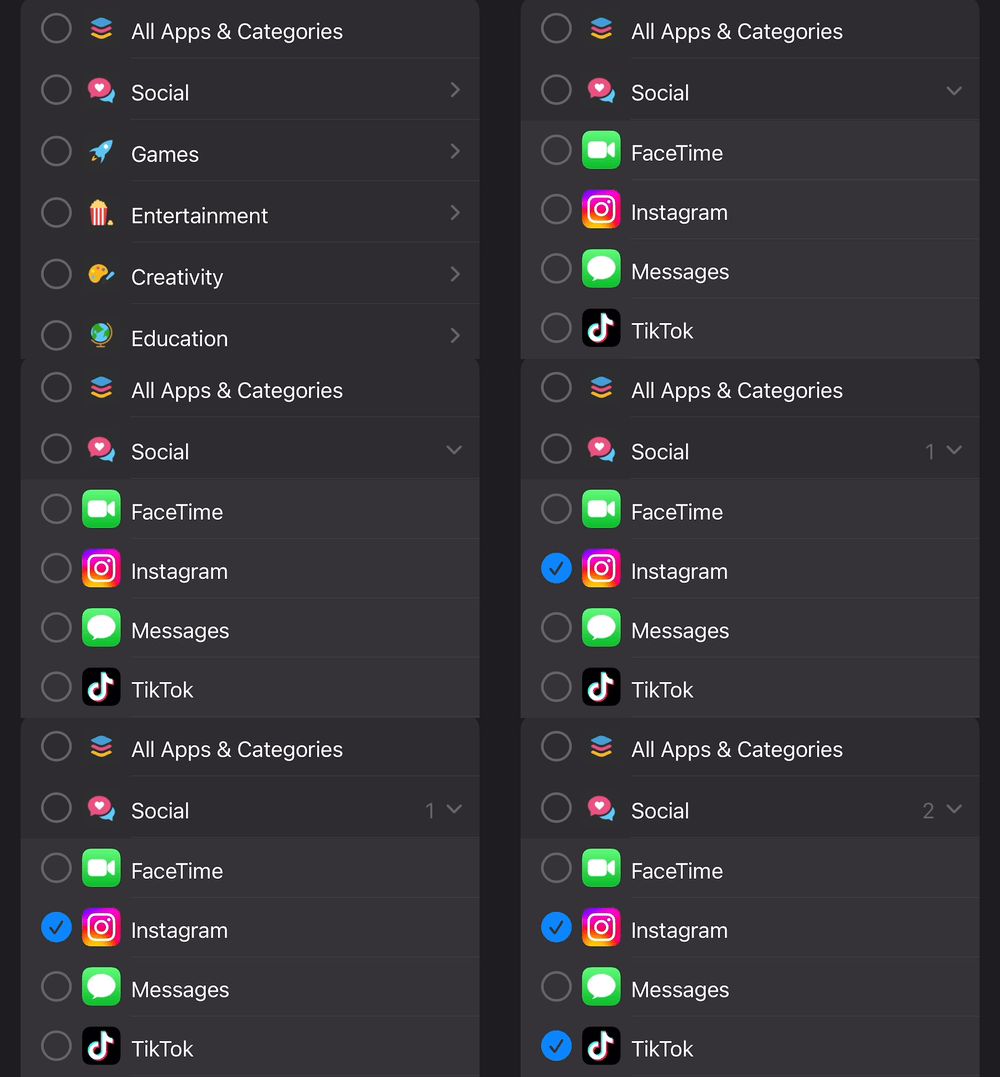
You can select specific apps and websites by first selecting a category (ex. “Social”), and then pressing the circle on the left side to select it:
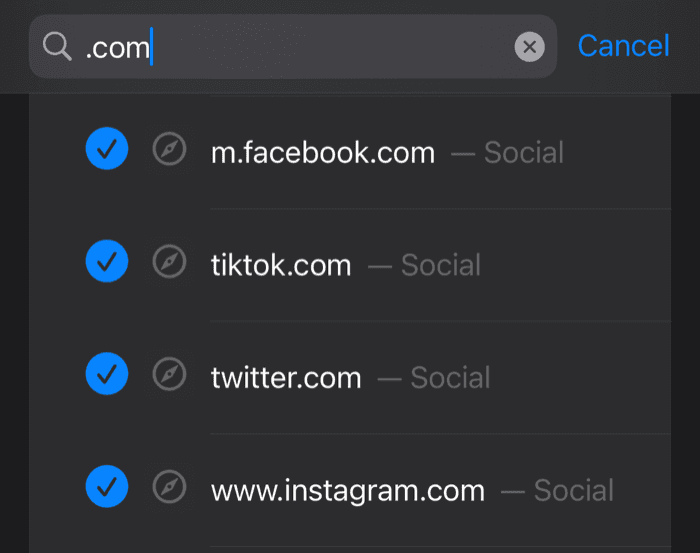
You can also use the search bar to search for specific apps or websites (search is available on iOS 17 and above):
IMPORTANT NOTE: the app & website picker design and functionality is 100% controlled by Apple; Refocus can’t change how it looks or functions
How To Block Websites?
Please press here to read how to block websites. It’s easy to do, but you might not get the results you want unless you learn about some of the intricacies.
How To Block Apps?
To block apps, just select the app and finish creating the session. Please press here to read more about how to start blocking.
Why Does The Picker Crash?
Sorry. Please press here to read about the picker crashes.
How To Stop Blocking?
Please press here to read about how to stop blocking.
Wrong Apps Displaying?
Try the “Reset Fix For App Picker” at the bottom of this page to mitigate.