Strict Modes
Strict Modes make it harder to stop an active blocking session. Choose the level that matches how much friction you want before unblocking.
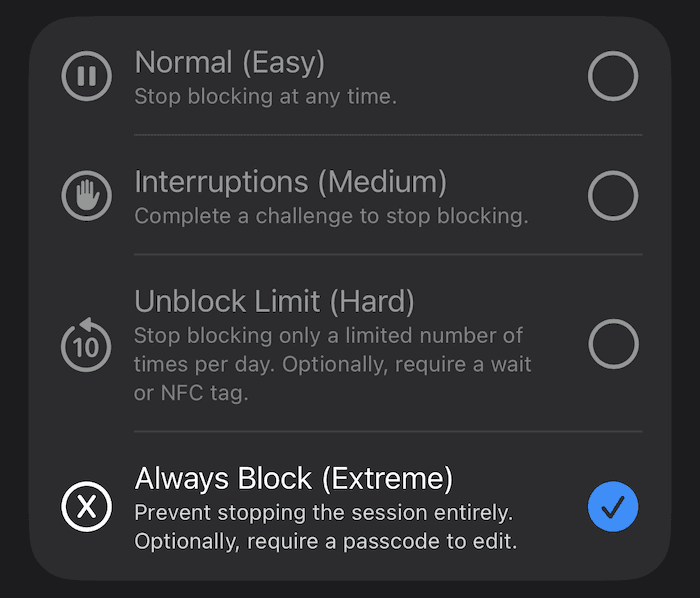
Each Strict Mode affects your ability to stop blocking by making it more difficult.
Why Are Strict Modes Important?
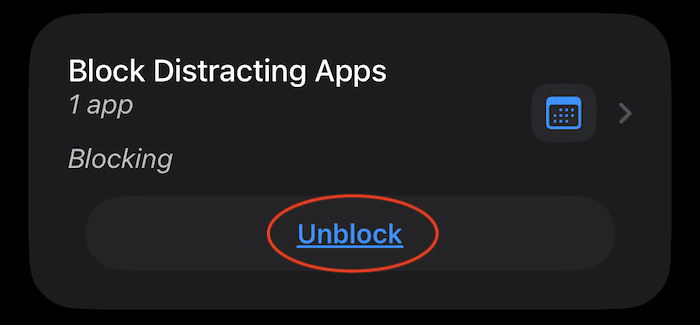
As you use Refocus, you may find yourself habitually pressing Stop Blocking to regain access. Strict Modes interrupt that pattern by adding friction before you can unblock.
Refocus improves your focus by adding friction, unlike social media apps, which aim to remove friction to keep you hooked. For example, the infinite scroll was designed so people can browse endlessly without clicking or loading new pages, minimizing interruptions and increasing engagement. By increasing friction, you’re guaranteed to reduce your phone use over time.
📚 Read this for a more in-depth explanation of how to use app blockers like Refocus.
📺 Watch this video for a clear explanation of the concept of friction.
What Are the Strict Modes?
Normal (Easy)
This is the default. You are able to stop blocking at any time.
Interruptions (Medium)
Every attempt to stop blocking will be interrupted by a challenge. The challenge allows you to think a little longer about whether you truly want to stop blocking. There are three types of interruptions:
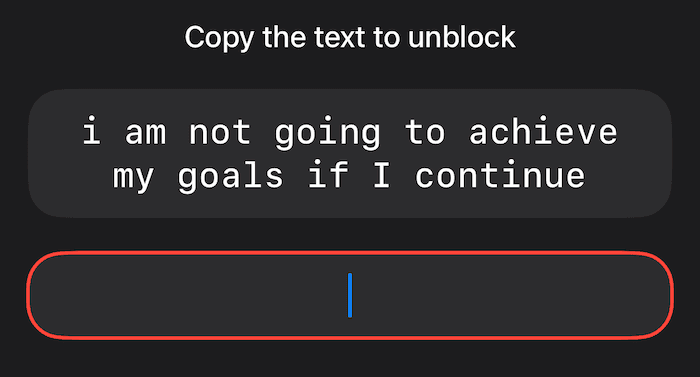
Duration: Interrupt every attempt to stop blocking for a set duration.
The break is customizable from 3 to 300 seconds (5 minutes). You can also display a customizable message during the break to encourage yourself to get back to focusing.
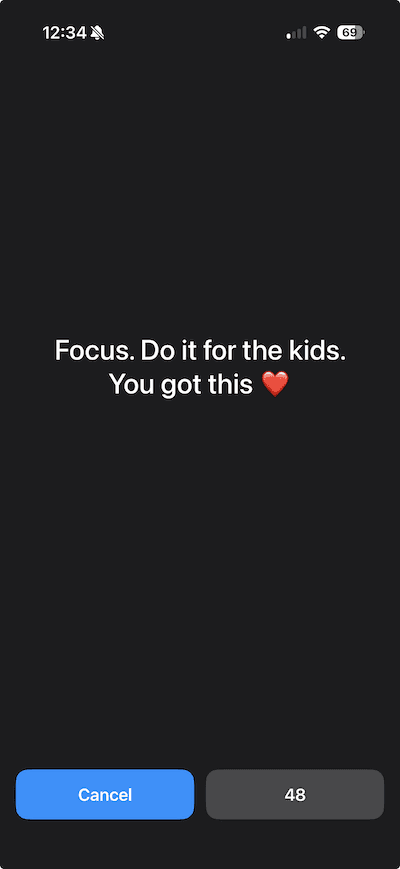
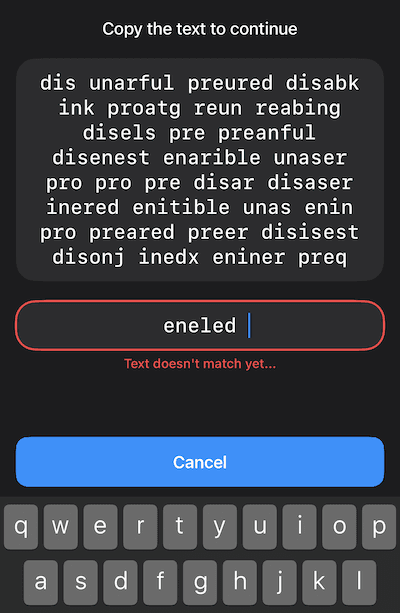
Copy Text: Interrupt every attempt to stop blocking with a copy-text challenge.
When you try to stop blocking, you will be asked to type random text—for example, “who let the dogs out.” If you type it correctly, you can proceed with stopping the block. This differs from Duration because you must actively type the text; with Duration, you can put your phone aside and wait.
Ad Delay: Interrupt every attempt to stop blocking for the duration of an ad.
Free users only. When you try to unblock, you will see an ad that lasts around 30 seconds.
At users’ request, Refocus is testing an unlimited, customizable Strict Mode. If users find it useful, it will continue to improve with more customization.
⚠️ An interruption can appear because another session with Interruptions enabled is blocking some of the same apps or websites. Sessions with overlapping apps or websites can create confusion.
Unblock Limit (Hard)
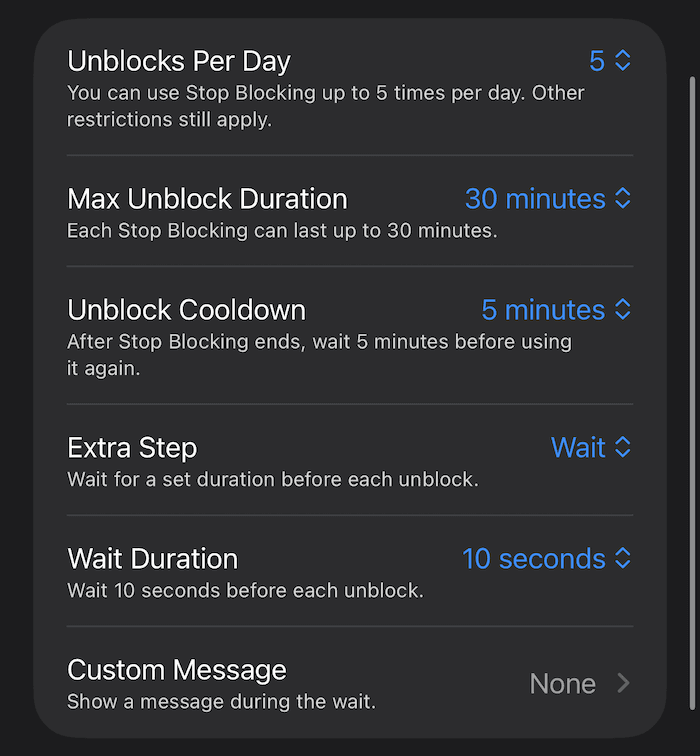
Allow the session to stop blocking a set number of times per day:
Customize the number of unblocks per day—for example, limit it to 5 unblocks per day.
Customize the maximum unblock duration—for example, limit each unblock to 30 minutes.
Customize the unblock cooldown—for example, after an unblock ends, wait 5 minutes before unblocking again, like a Pomodoro timer.
Add an Extra Step:
Wait: Interrupt every attempt to stop blocking for a duration.
Scan NFC Tag: Require scanning an NFC tag to unblock—for example, use a physical key to access apps. Learn more.
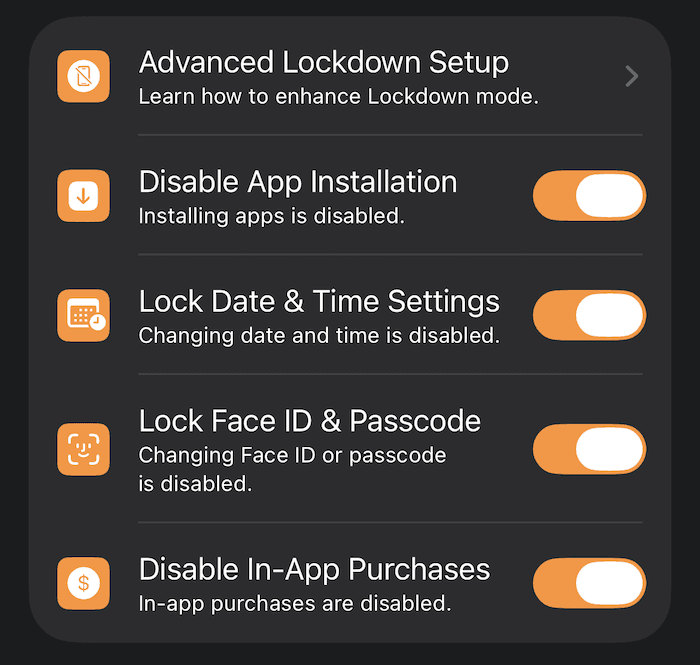
Optionally, you can enable Disable Editing and Lockdown.
Always Block (Extreme)
All attempts to stop blocking the selected apps for that session will be ignored. For example, if you selected the Facebook app and chose Always Block, the Strict Mode will keep Facebook blocked even if you choose to unblock all apps and websites.
Optionally, you can enable Disable Editing and Lockdown.
Disable Editing and Lockdown
For the Unblock Limit and Always Block Strict Modes, Refocus provides extra strictness customization:
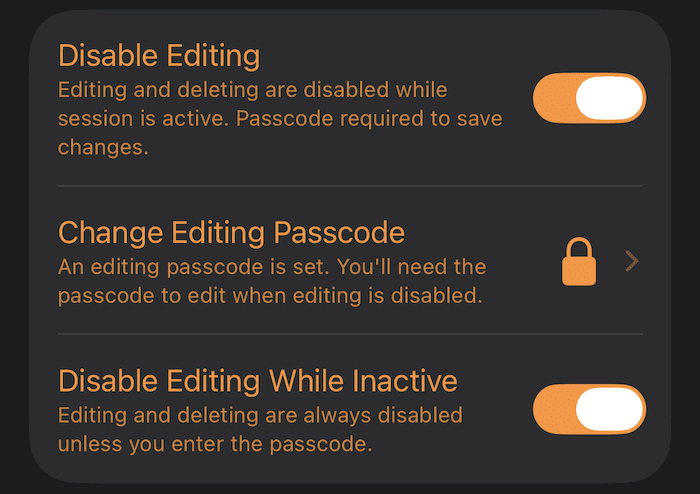
Disable Editing
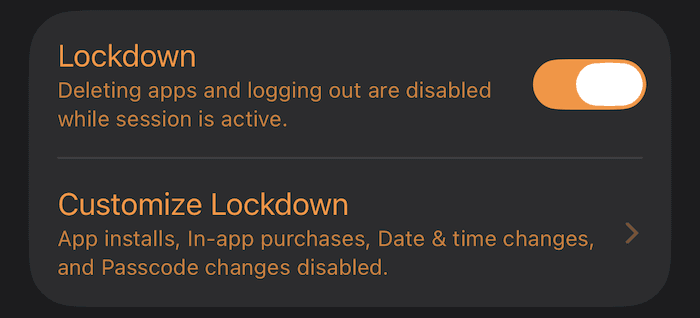
Lockdown
Productivity Tip: Ease Into Strict Modes
One of the best ways to use Refocus is to:
Block distracting apps by default.
When you want to use the apps, stop blocking for a short duration.
Once the duration expires, choose to do something else or stop blocking again.
Repeat.
Yes, you can—and will—keep unblocking repeatedly. However, even the small friction of opening a separate app to stop blocking will help over the long run. The trick is not to make unblocking too restrictive; otherwise, you may delete the app and lose the productivity benefits. Once you can maintain a long period of using Refocus with relaxed restrictions, slowly increase them.
📚 Read this for a more in-depth explanation of how to use app blockers like Refocus.
📺 Watch this video for a clear explanation of the concept of friction.
How to Enable a Strict Mode
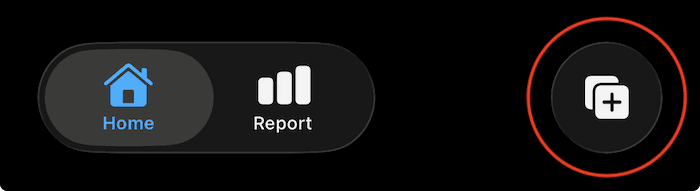
Step 1: Press “Start” in the Tab Bar
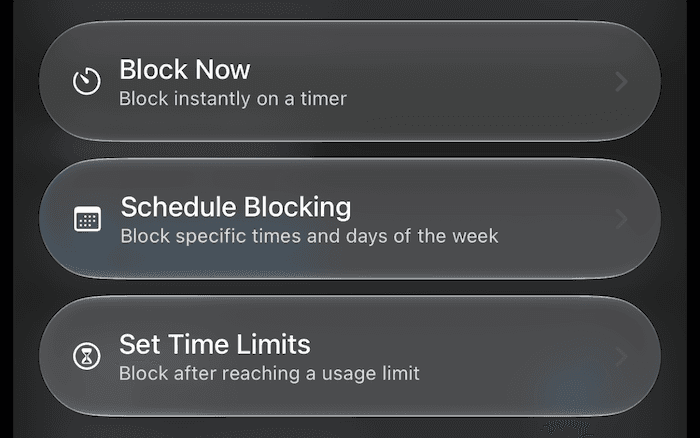
Step 2: Select a Blocking Session Option
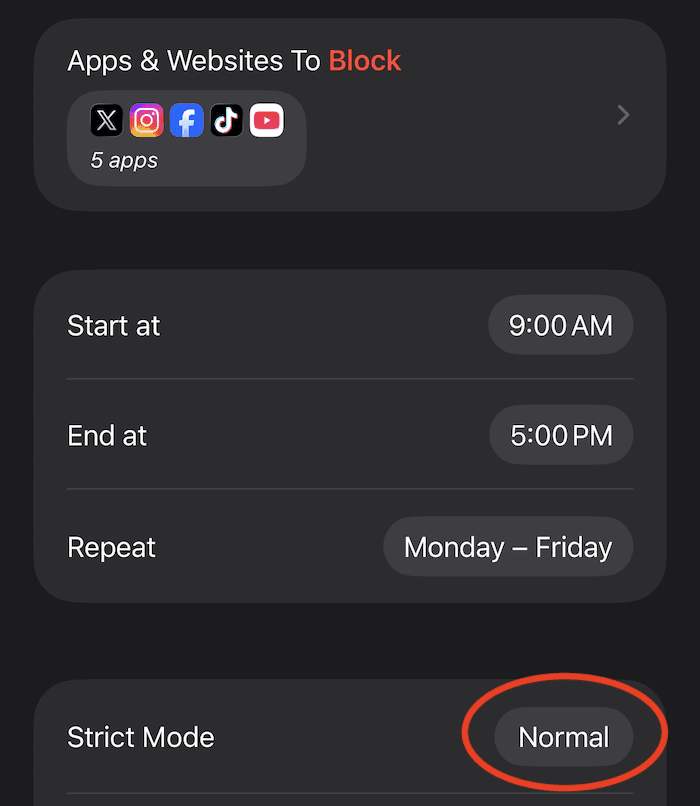
Step 3: Find “Strict Mode” and Press “Normal”
Step 4: Select a Strict Mode